Connecting to Tableau Server via JWT
Tableau Steps
- Launch Tableau
- Click Settings

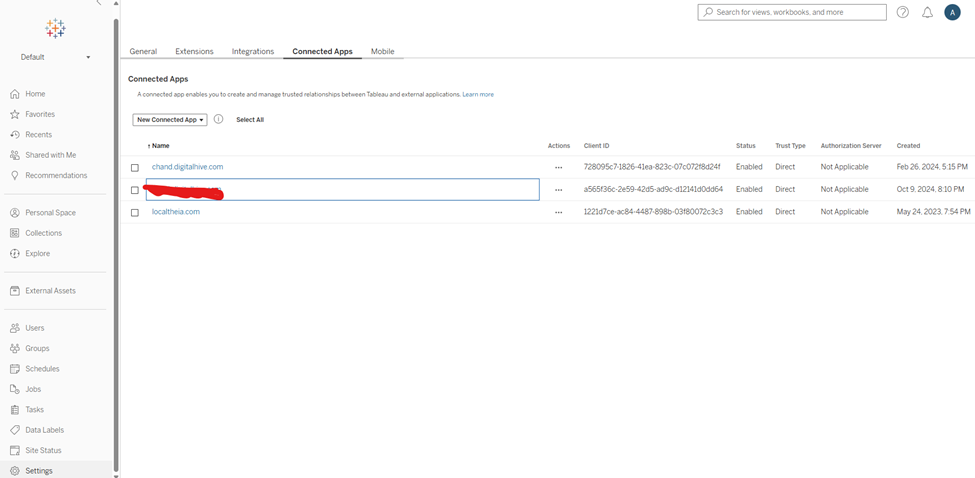
- Click Connected Apps
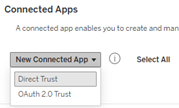
- Click New Connected App and select Direct Trust
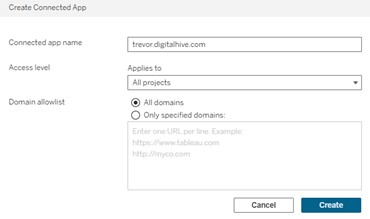
- Enter
a Connected App name, select access level and if you like, enter a domain allowlist
and click Create
- Click Generate New Secret
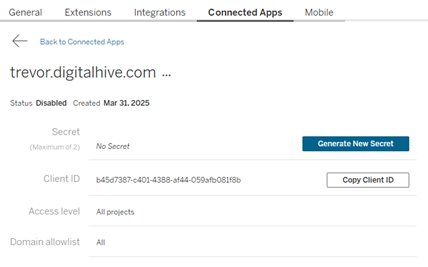
- Copy the Secret ID, Secret Value and Client ID. All of these will need to be entered in Digital Hive
Digital Hive Steps
- Launch Digital Hive
- Click your avatar and select Manage Digital Hive
- Click Connectors
- Click New Connector
- Click Tableau
- In Settings, enter a name and select an Authentication Method
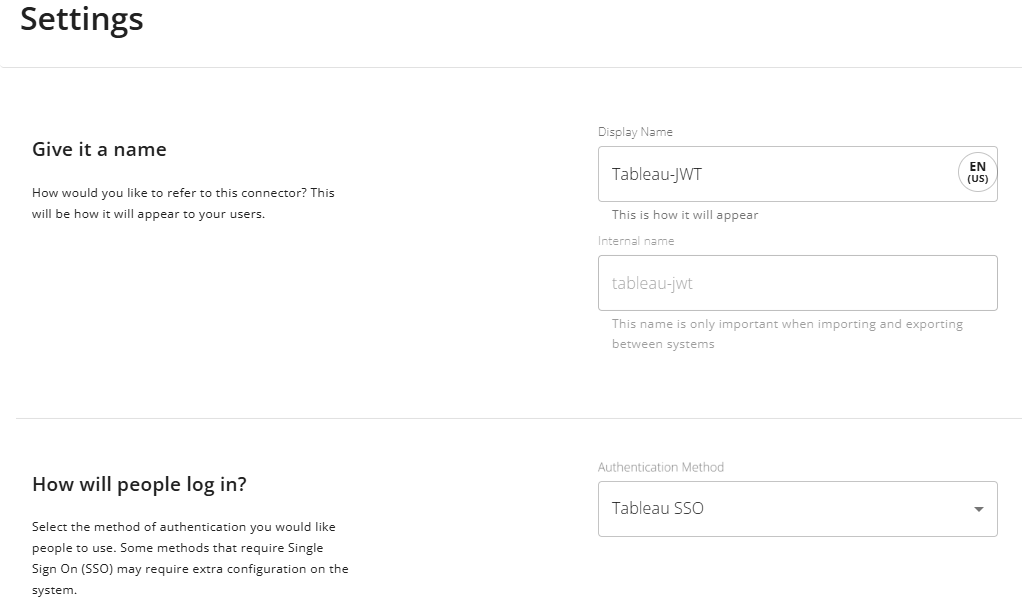
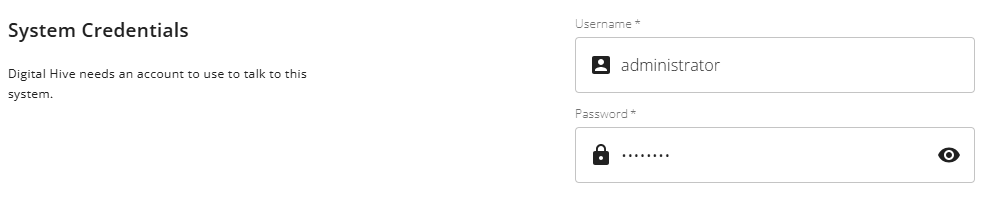
- Enter the system credentials which is an account that has access to everything and is able to query for permissions
- In the Server information section for Server Type, select Public Tableau Server and for Base Url, enter the Tableau URL

- In Properties, click SHOW ADVANCED
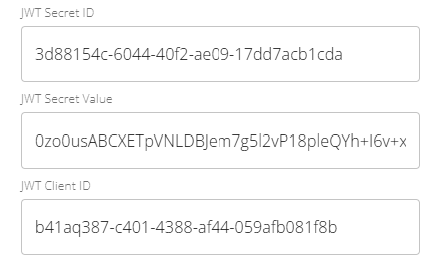
- Scroll down to the JWT part and enter the Secret ID, Secret Value and Client ID that you copied from Tableau
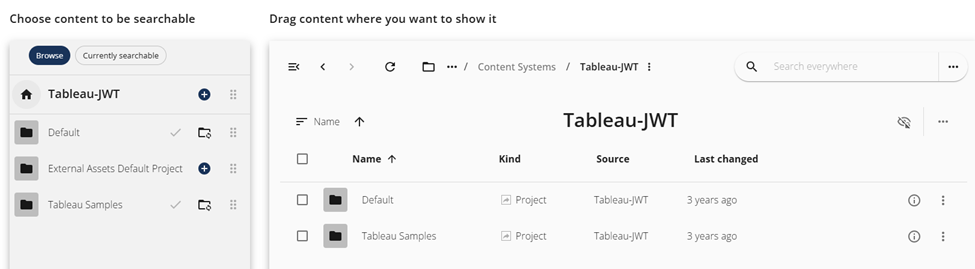
- Create a new folder, in my example, I put it a folder called Content Systems and named it Tableau-JWT
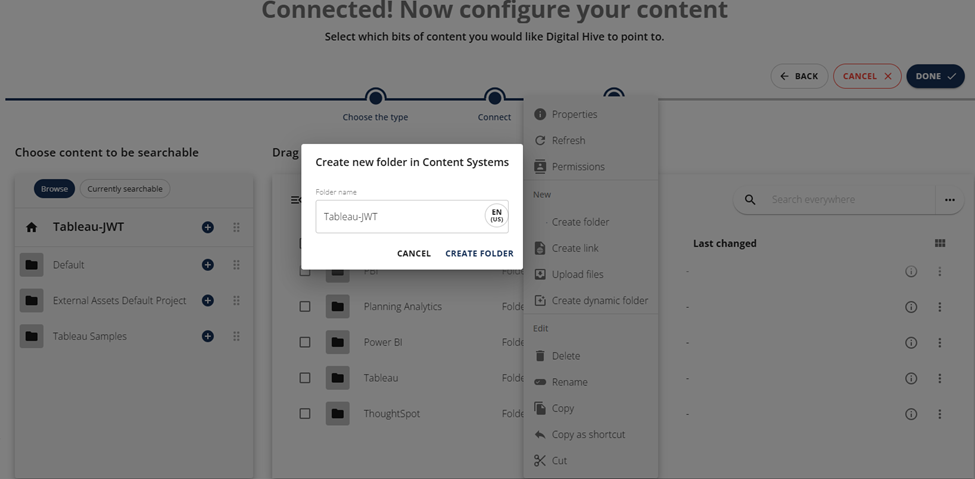
- Click CREATE FOLDER
- Go into that new folder, in this example, Tableau-JWT
- Drag whatever content you want from the Choose content to be searchable section to that folder on the right. I my example, I dragged Default and Tableau Samples
- Click Done
Related Articles
Connecting to Tableau Server
Question How do we connect Digital Hive to Tableau Server? Answer Before Digital Hive can successfully connect to Tableau Server, the Digital Hive server URL or IP address must be added to the Tableau Trusted Authentication list. This operation must ...
Connecting to Microsoft PowerBI Report Server
Question Is it possible to connect Digital Hive to an instance of Microsoft PowerBI Report Server? This is the on premises version of Power BI. Answer As a Digital Hive administrator, connecting to Microsoft PowerBI Report Server can be accomplished ...
Connect Digital Hive to Tableau Cloud
As of the 2025.2 Digital Hive release, Tableau Cloud is a supported content system and an out of the box connector is available. Before Tableau Cloud can be added to Digital Hive, a Connected App must first be created within the Tableau Cloud ...
Connecting to Qlik View
Question How do we connect Digital Hive to Qlik View? Answer As a Digital Hive administrator, connecting to Qlik View can be accomplished via the following steps: Install the QlikView NTFS Auth Application In your extracted Digital Hive installation ...
Connecting to Salesforce
Question How do we connect Digital Hive to the Salesforce CRM platform? Answer Before Digital Hive can successfully connect to Salesforce, a Connected App must first be created within Salesforce Setup. Launch Salesforce Setup Navigate to App Manager ...